Introduction
Veracity evaluates traffic from your adverts to detect bot activity and provide suppression of bots in your digital campaigns. To enable us to do this, you will need to make some small changes to current and future digital ads; these changes depend on which ad networks you are running ads on.
Changes required for Meta
Veracity requires that you add our URL parameters to any that you have already set; with the option to add up to 3 more for more advanced analytics.
Go to your Facebook Ad account and edit the ads you want to track with Veracity.
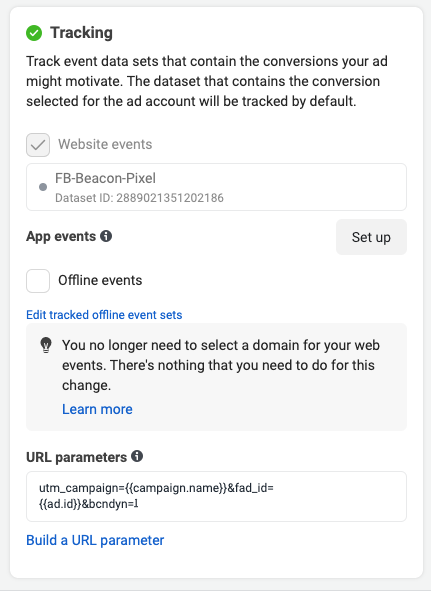
URL Parameters
This is where you place the utm Parameters.
utm_campaign={{campaign.name}}&fad_id={{ad.id}}&bcndyn=1
Place your link as below;
Catalogue ads
Ads that get the link destination from an outside source (Shopify catalogue, manual feed etc.) require extra settings.
Please speak to the support team about these ads.
Still need help?
Contact your Veracity account manager or email support@vtn.live.